
Godot
The OpenBone addon is a GDExtension built on the C++ runtime. It adds an OpenBoneSprite node that plays animations and state machines, handles pointer listeners, runs document scripts and plays sound.
Install
Section titled “Install”Open the AssetLib tab in Godot 4.4 or newer and search for OpenBone, or download
openbone-godot-<version>.zip from the releases and unzip it into
your project. The godot-addon branch has the same files.
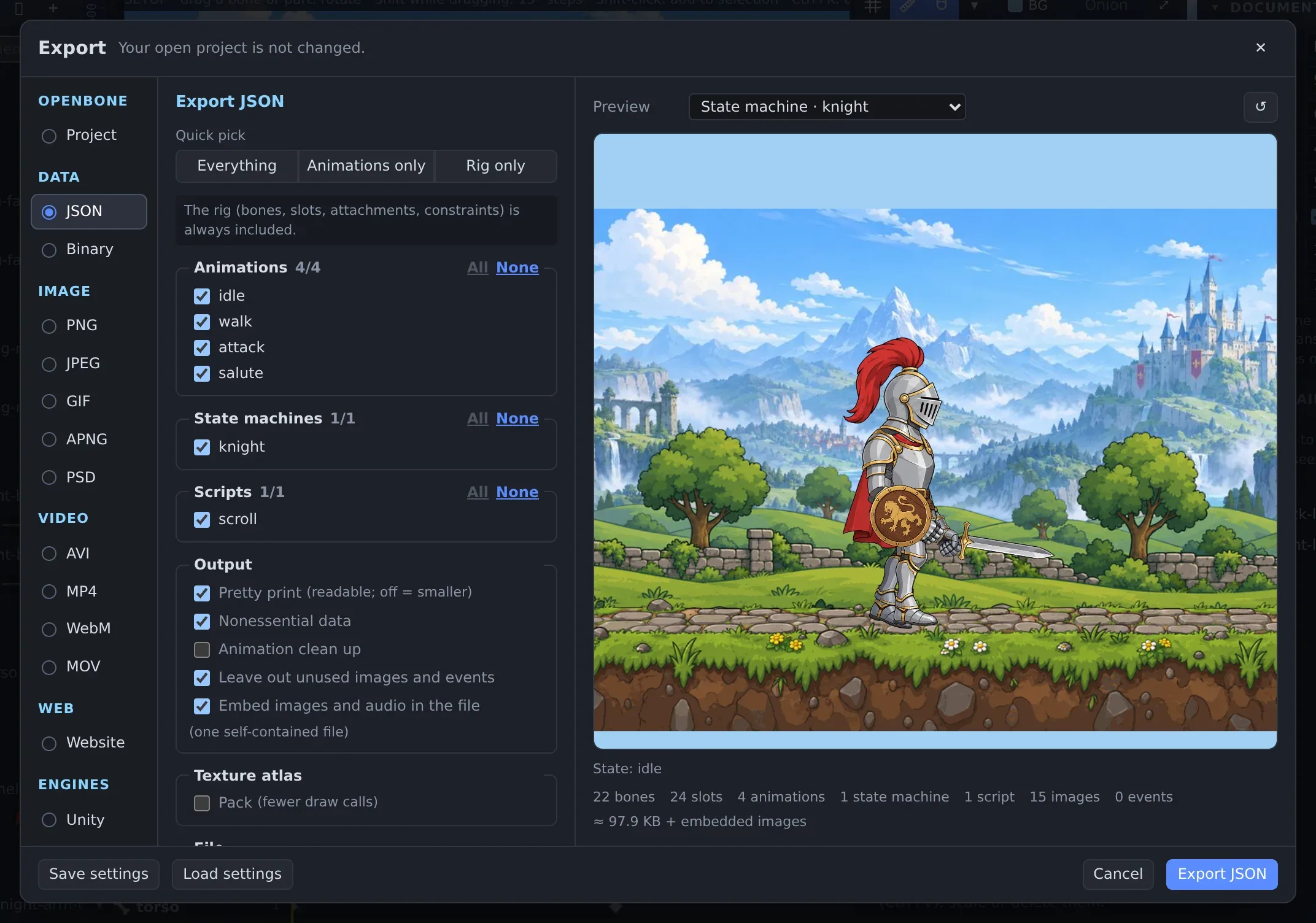
Export from the editor
Section titled “Export from the editor”Export a .obone (or binary .obonb) file and put it in your project with its images: the paths in the file are
relative to it.
Play it
Section titled “Play it”- Add an OpenBoneSprite node, and set Document, Animation or State Machine in the Inspector.
- Or create it from code:
extends Node2D
func _ready() -> void:    var sprite := OpenBoneSprite.new()    sprite.position = Vector2(576, 520)    add_child(sprite)    sprite.load("res://characters/knight.obone")    sprite.play("idle")                       # or: sprite.use_state_machine("knight")    sprite.animation_event.connect(func(name, time, i, f, s): print("event ", name))    sprite.state_changed.connect(func(layer, from, to): print(layer, ": ", from, " -> ", to))
Main API: load(path), play(name, loop, track), queue(…), use_state_machine(name), set_input(name, value),
fire(name), get_active_state(layer), get_bone_transform(bone), set_text(slot, text), advance(delta);
signals animation_event, audio_command, state_changed.
Reference: Godot addon · C / C++ runtime
OpenBone is MIT licensed and made by UXCentury. The example art, voices and sounds are credited in the repository.