
Let an agent animate (MCP)
The OpenBone MCP server gives an AI agent the same operations the editor uses:
every edit is a tool (add_bone, set_keys, add_state, add_listener…), plus tools to check its own work
(rendered frames, GIFs, state-machine simulations, pose inspection) and to export. Connect the editor to the server and
you watch the agent’s edits arrive live, and can edit alongside it.
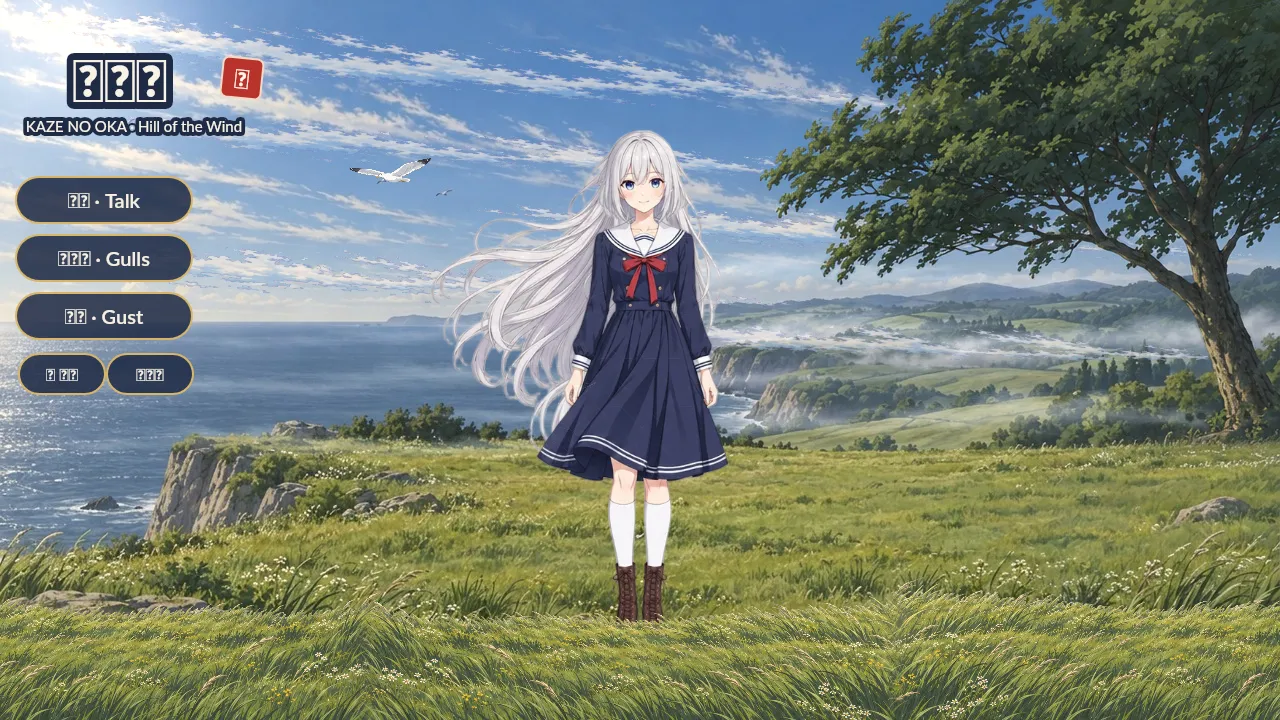
Windswept was built this way: an AI agent made it with the OpenBone MCP server, from the physics hair and the mesh grass to the lip-synced lines, the buttons and the mixer.
Connect a client
Section titled “Connect a client”-
Add the server to your MCP client.
Inside a checkout of the repository there is nothing to do: it ships
.mcp.json, so Claude Code starts theopenboneserver automatically. Anywhere else:Terminal window claude mcp add openbone -- npx -y @openbone/mcpMost clients (Claude Desktop, Cursor, VS Code…) take a JSON entry like this:
{ "mcpServers": { "openbone": { "command": "npx", "args": ["-y", "@openbone/mcp"] } } }{ "mcpServers": { "openbone": { "command": "pnpm", "args": ["exec", "tsx", "/path/to/OpenBone/packages/mcp/src/bin.ts"] } } }Terminal window npx -y @openbone/mcp --http 7718 # streamable HTTP at http://127.0.0.1:7718/mcp -
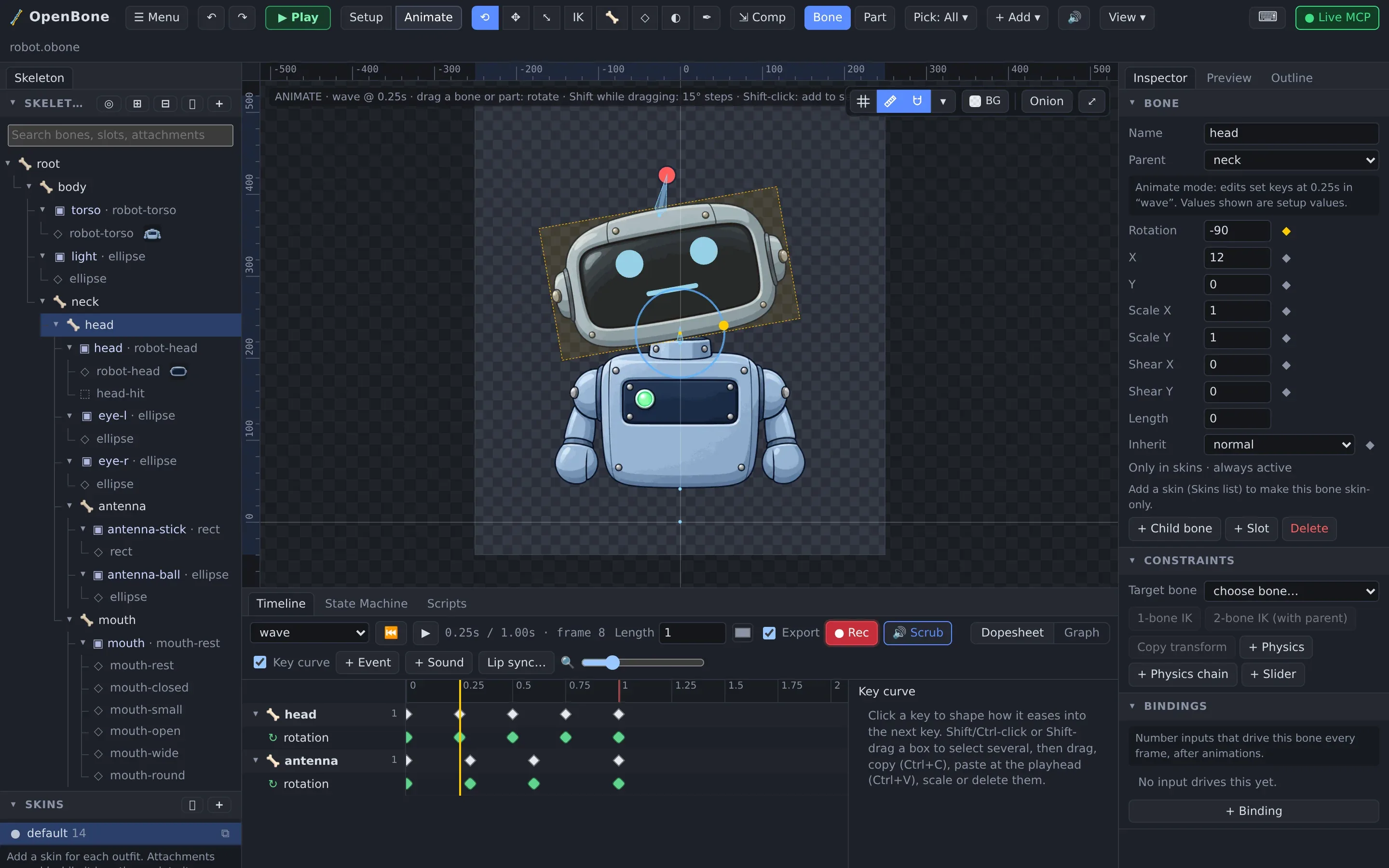
Open the editor and click ⚡ Connect MCP in the toolbar. The editor connects to the server’s live bridge (
ws://127.0.0.1:7717), loads the server’s document, and the button turns into ● Live MCP. -
Ask the agent for something:
Create a project at ~/anim/robot.obone: a robot with IK arms, an idle and a wave animation, and a state machine that waves when clicked.
What the agent can do
Section titled “What the agent can do”| Group | Tools |
|---|---|
| Project | new_project, open_project, save_project (projects with a path autosave), get_summary, get_document, validate, undo, redo, import_image, import_audio, get_guide |
| Art prep | process_image: remove a flat background, cut out what differs from a painted-out copy, trim, crop, resize, flip, feather edges |
| Editing | One tool per editing operation: bones, slots, regions, meshes, shapes, text, constraints, animations, keys, events, state machines, inputs, states, transitions, listeners, scripts, skins, atlases |
| Rigging helpers | trace_mesh, auto_weights, set_weights_in_area, smooth_weights, prune_weights, pose_bones, lip_sync |
| Audio | add_sound, add_bus, set_audio_mix, add_audio_key, set_event_sound, set_state_sound |
| Checking | render_frame (a PNG with bones and hit boxes), render_gif, simulate_state_machine, inspect_pose, get_stats |
| Export | export_file: every format the Export dialog has, MP4 and WebM with sound included, and pack_atlas |
The MCP server reference lists every tool and option. Resources (openbone://guide,
openbone://document, openbone://summary) and prompts (rig_character, interactive_button) give the agent a head
start.
How live editing works
Section titled “How live editing works”The server owns the document. When you connect, it sends its current document; after that both sides exchange ops: the agent’s tool calls arrive in the editor, and your own edits in the editor go to the server, so the agent sees them on its next read. Undo and redo in the editor are forwarded to the server. If an op fails, the editor is resynced from the server’s copy.
Running the server
Section titled “Running the server”| Command | What it does |
|---|---|
npx -y @openbone/mcp |
stdio server, plus the live bridge on ws://127.0.0.1:7717 |
… --project ~/anim/hero.obone |
opens (or creates) a project at startup |
… --http 7718 |
streamable HTTP at http://127.0.0.1:7718/mcp |
… --bridge-port 7800 |
the live bridge on another port |
… --no-bridge |
no WebSocket bridge |
The CLI starts the same server with openbone mcp.
OpenBone is MIT licensed and made by UXCentury. The example art, voices and sounds are credited in the repository.