
The command line
The openbone command runs the same code as the editor’s Export dialog and the MCP server, so it is how you batch
exports, check files in CI, or look at an animation without opening the editor.
npm install -g @openbone/cli # then: openbone <command>npx openbone --help # or without installingpnpm cli --help # from a checkoutIt needs Node.js 20 or newer. Every image on this page was made by the CLI itself, from the repository’s examples.
Check a file
Section titled “Check a file”openbone validate examples/walker.oboneOKvalidate prints every broken reference or other problem and exits with 1 on errors, so it works as a CI step.
summary prints a readable outline: bones, slots, images, animations and the state machines with their inputs,
states, transitions and listeners.
openbone summary examples/button.obone# Button — artboard 400x200, origin (200,100), 30fps## Bones (3) — name [id] parent: x,y rot len- root [bone_ymn5l27] (root): 0,0 rot 0 len 0 - btn [bone_l7rm328] <root>: 0,0 rot 0 len 0 - shine [bone_aqp4229] <btn>: -140,0 rot 0 len 0## Slots (4, back→front)- bg [slot_rzprm2b] on btn shows button-play; attachments: button-play:region- glass-mask [slot_8c25p2c] on btn shows mask; attachments: mask:clipping- shine [slot_tsiuz2d] on shine shows polygon; attachments: polygon:shape- hit [slot_7gdz32e] on btn shows nothing; attachments: hitbox:boundingBox…## State machine ui [sm_x9mr82j] inputs: hover:bool=false, press:trigger=false layer Layer 1 (entry: idle) state idle [st_afdle2m] animation idle loop state hover [st_lsaa92n] animation hover state press [st_b3ul72o] animation press idle → hover [tr_oox5u2p] hover == true fade 0.1s … listener enter: enter on hit → setInput listener exit: exit on hit → setInput listener down: down on hit → fireTriggerRender a frame
Section titled “Render a frame”openbone render examples/walker.obone --animation walk --time 0.25 --out walk.png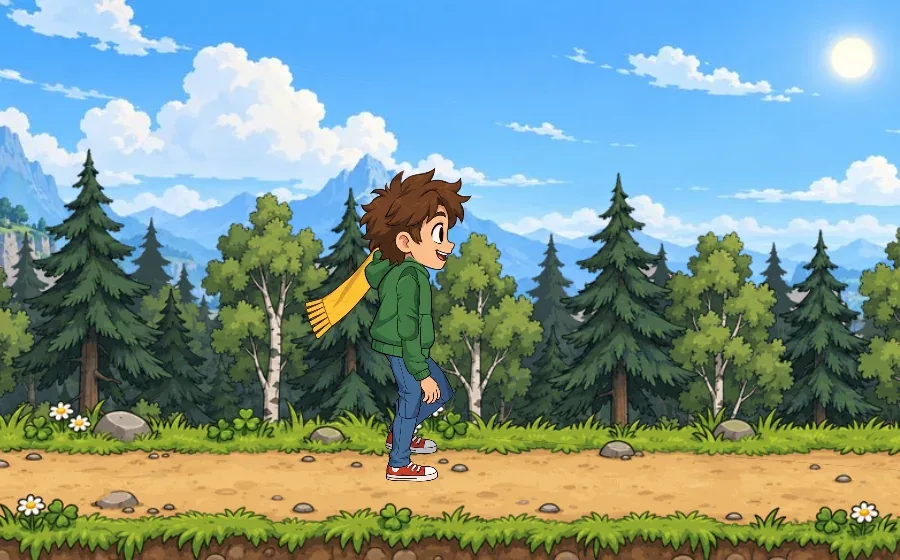
--bones draws the skeleton on top and --bounding-boxes outlines the click and hit areas, which is a quick way to
check a rig:
openbone render examples/knight.obone --animation attack --time 0.3 --bones --bounding-boxes --out rig.png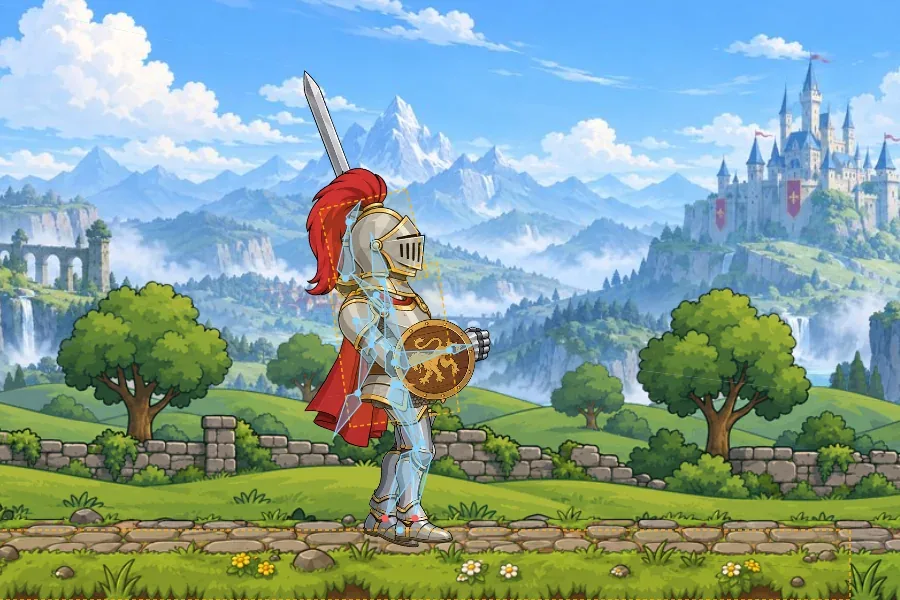
Render a GIF of an interaction
Section titled “Render a GIF of an interaction”gif renders an animation, or a state machine run: --steps sets inputs, fires triggers and sends pointer events,
then advances time.
openbone gif examples/button.obone --state-machine ui \ --steps '[{"setInputs":{"hover":true},"advance":0.8},{"fire":["press"],"advance":0.8}]' \ --fps 20 --scale 1 --out button.gif
Simulate a state machine
Section titled “Simulate a state machine”simulate runs a machine headlessly and prints what happened, for tests and for agents:
openbone simulate examples/walker.obone --state-machine character \ --steps '[{"setInputs":{"walk":true},"advance":1},{"fire":["jump"],"advance":0.5}]'t=0.000 [Layer 1] ∅ → locomotiont=0.000 input walk = truet=0.000 input speed = 0.06666666666666667t=0.017 input speed = 0.1288888888888889…Walker’s speed climbs on its own: the document’s script eases it towards the walk switch.
Export
Section titled “Export”openbone export hero.obone --format obonb --out build/openbone export "art/*.obone" --format gif --animation idle --out previews/openbone export button.obone --format web --single-file --state-machine ui --out site/openbone export hero.obone --format spritesheet --engine godot --animations walk,idle --scale 0.5 --out sheets/openbone export hero.obone --format atlas --binary --atlas-scale auto --max-size 1024 --out build/openbone export hero.obone --format mp4 --animation talk --out video/Formats: obone, json, obonb, atlas, png, jpeg, apng, gif, psd, avi, mov, mp4, webm,
spritesheet and web. Quote globs so your shell does not expand them; each output is named after its source file.
Edit from scripts
Section titled “Edit from scripts”openbone ops # every edit op, e.g. addBone [rig] …openbone apply hero.obone addBone '{"name":"tail","parent":"root"}'apply takes the op names in camel case (addBone); the MCP server exposes the same ops as snake-case tools
(add_bone).
The @openbone/cli reference has every option, including all the texture packer settings.
OpenBone is MIT licensed and made by UXCentury. The example art, voices and sounds are credited in the repository.