
Particles and sequences
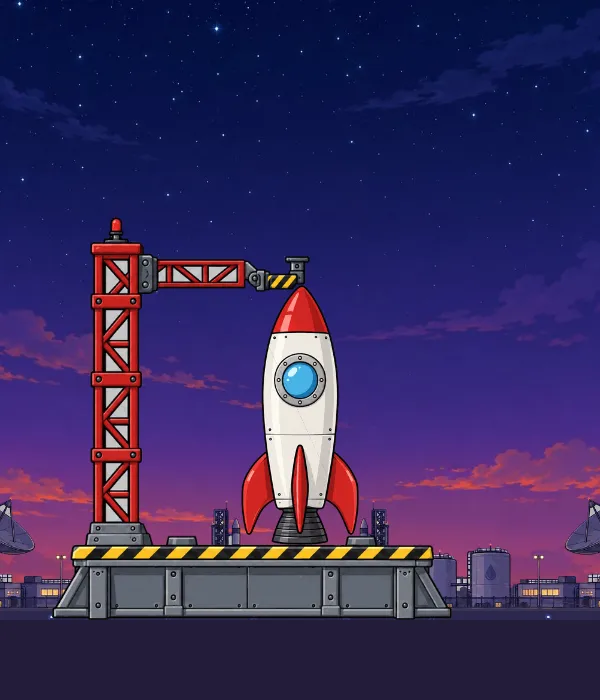
Click the rocket (or press launch): smoke, exhaust and sparks are three particle emitters keyed by the launch animation.
Add an emitter
Section titled “Add an emitter”- Select the slot that should emit (usually on a bone you can move, like the rocket’s
nozzle). - In the Inspector choose + Particles… and pick a preset: fire, smoke, sparks, confetti, exhaust or coins. Or start empty.
- Tune it in the Particles section:
- Emission: emitting on or off, rate per second, a maximum, duration, loop, prewarm and bursts (a count at a time in each cycle);
- Shape: point, circle, box or cone, and world or local space;
- Life: lifetime, speed, gravity, drag;
- Over life: size, rotation and colour curves;
- Look: dots, squares, sparks or any image in the document as the particle.
- ★ Save as preset… keeps your settings as your own preset, available in every project.
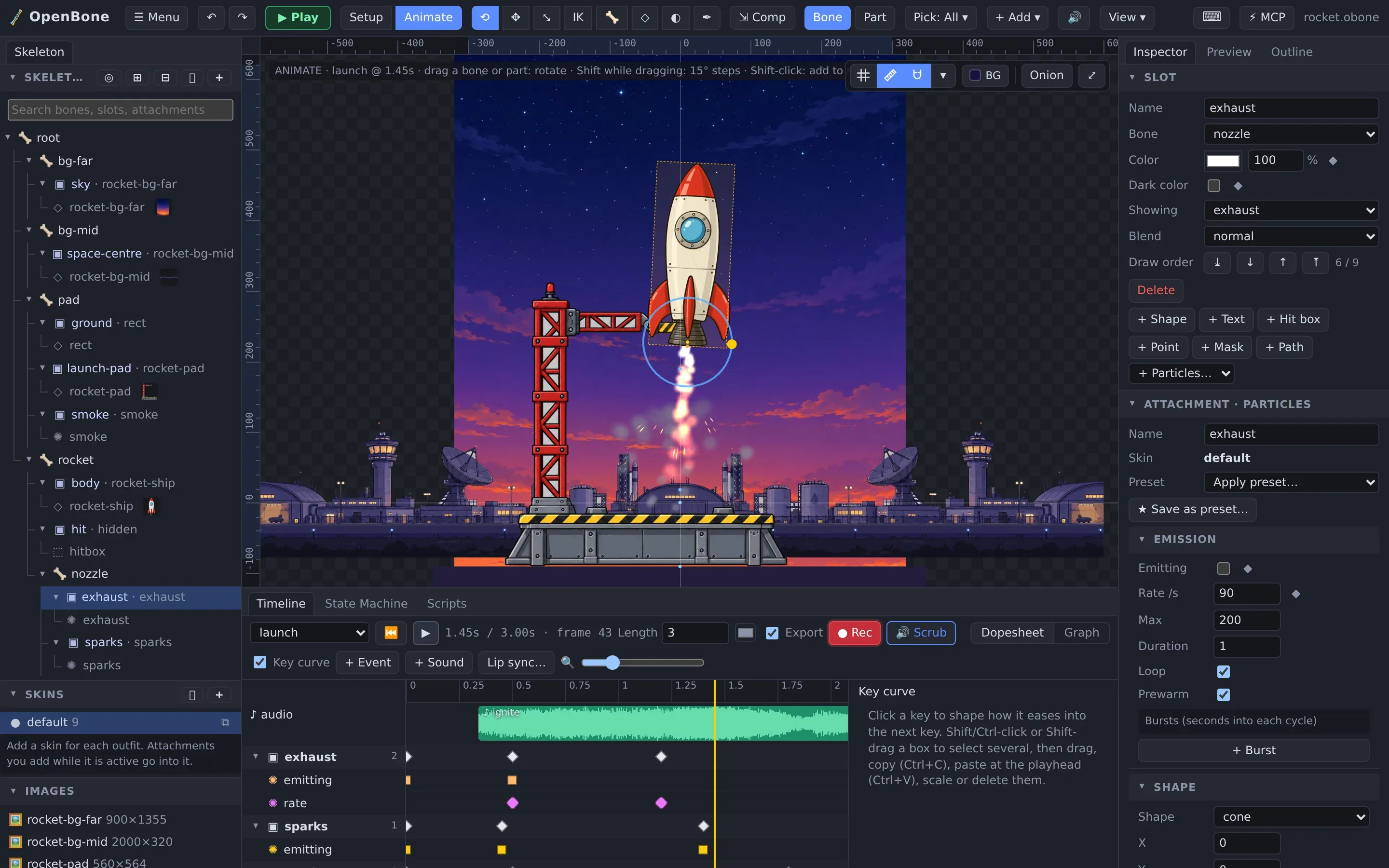
Particles are seeded, so the editor’s preview, Play mode, the runtimes and the video exports all show the same particles frame for frame.
Drive emitters
Section titled “Drive emitters”- Keys:
emittingandrateare animatable properties (the ◆ next to them). - Listeners: the start particles action bursts an emitter on a click.
- States: a state’s animation keys the emitters it needs, so the state machine turns them on and off.
Sprite sequences
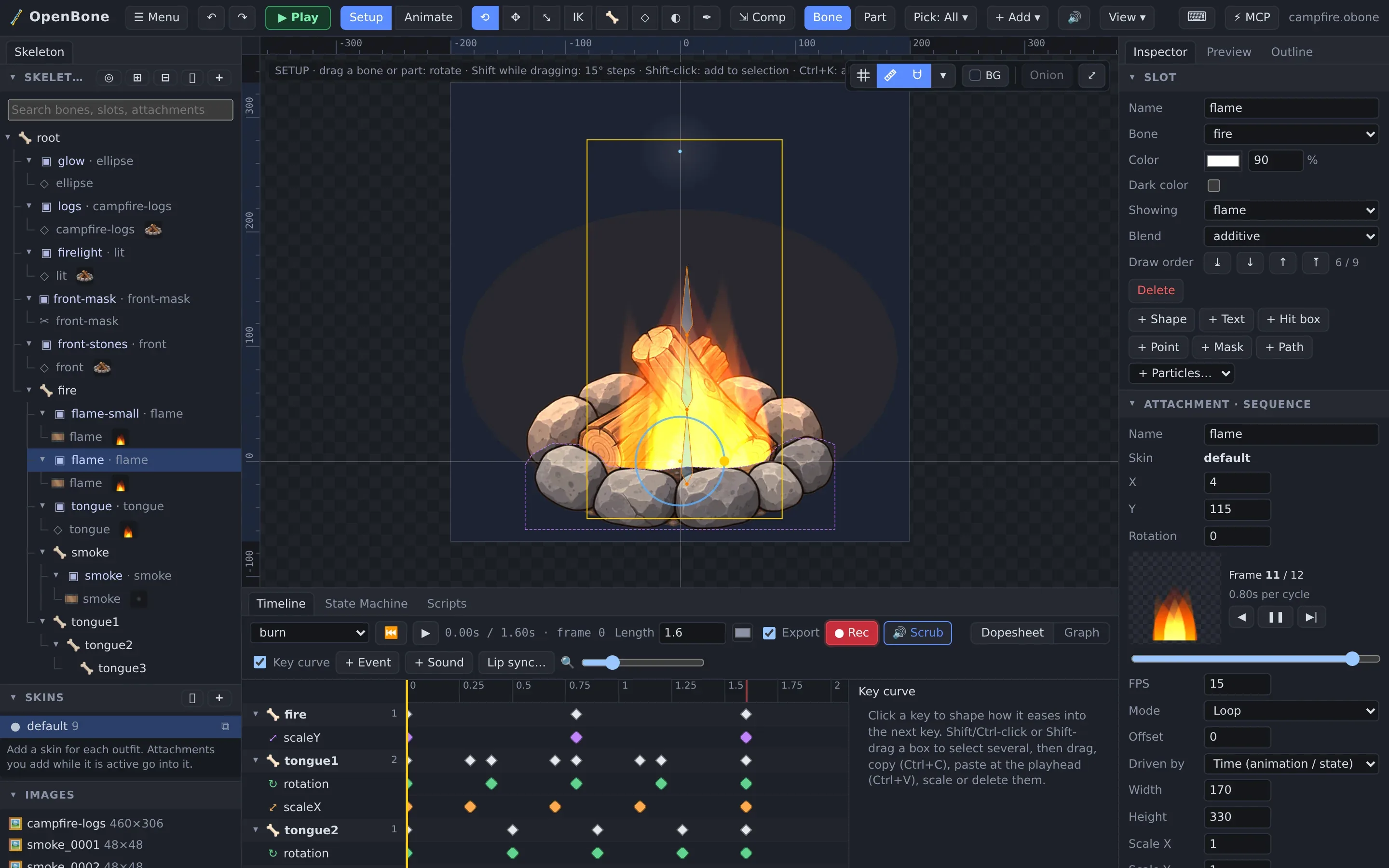
Section titled “Sprite sequences”For effects drawn frame by frame (flames, explosions, a blinking light), use a sequence attachment: + Add →
Sequence takes numbered images (fire_0001.png…), a sprite sheet (a grid, TexturePacker or Aseprite JSON) or a ZIP
of frames. Each sequence has its own fps and mode (loop, once, ping-pong, hold last), and can be driven by time, by
keys or by a number input.
OpenBone is MIT licensed and made by UXCentury. The example art, voices and sounds are credited in the repository.